GET /projects/clinicbook 200 OK
ClinicBook
Year-2 exam project — Noroff, 2026
ClinicBook is my year-2 exam project: a booking system for medical clinics, built as an ASP.NET Core REST API with a React front end on top. I wanted the booking itself to stay simple enough that a patient never has to make an account, while still giving clinic staff a real admin surface behind it.
- C#
- ASP.NET Core
- EF Core
- SQL Server
- Redis
- React
- TypeScript
- JWT
- Refresh Tokens
- Integration Testing
- Docker
- Caddy
- Cloudflare Tunnel
- GitHub Actions
Booking flow
A patient picks a clinic, a specialty, and a time slot, then confirms. Booking as a guest takes an email and nothing more — no account, no password.
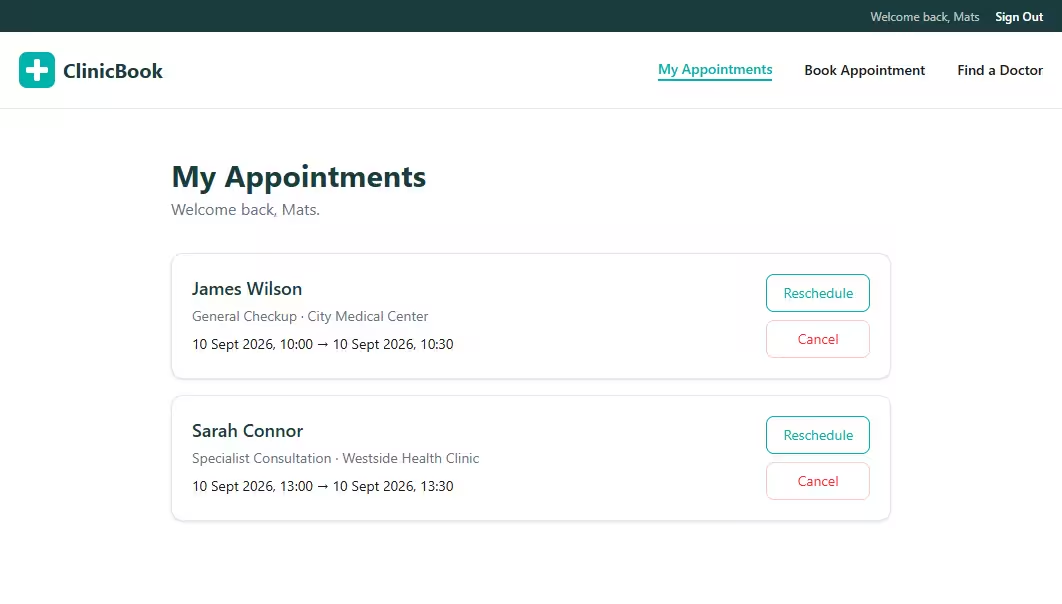
Registering is optional and only buys you one thing: a place to see and manage the appointments you've already made. That kept the flow short for the common case without cutting off the people who want to come back to it.
Admin panel
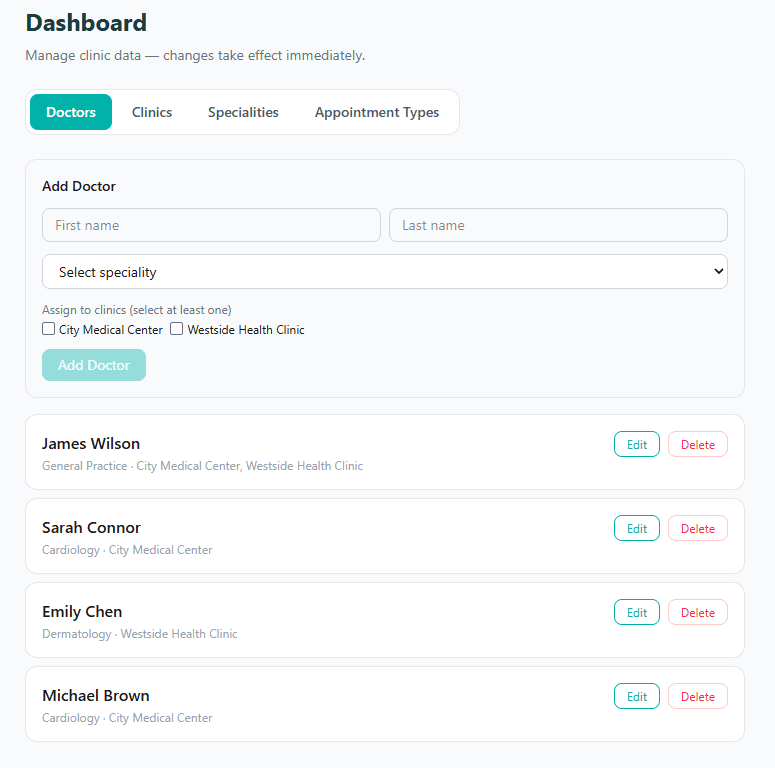
Clinic staff manage doctors, clinics, specialties, and appointment categories from one panel. These are the records the booking flow reads from, so adding a doctor or a new specialty changes what patients can book without a deploy.
Auth & API
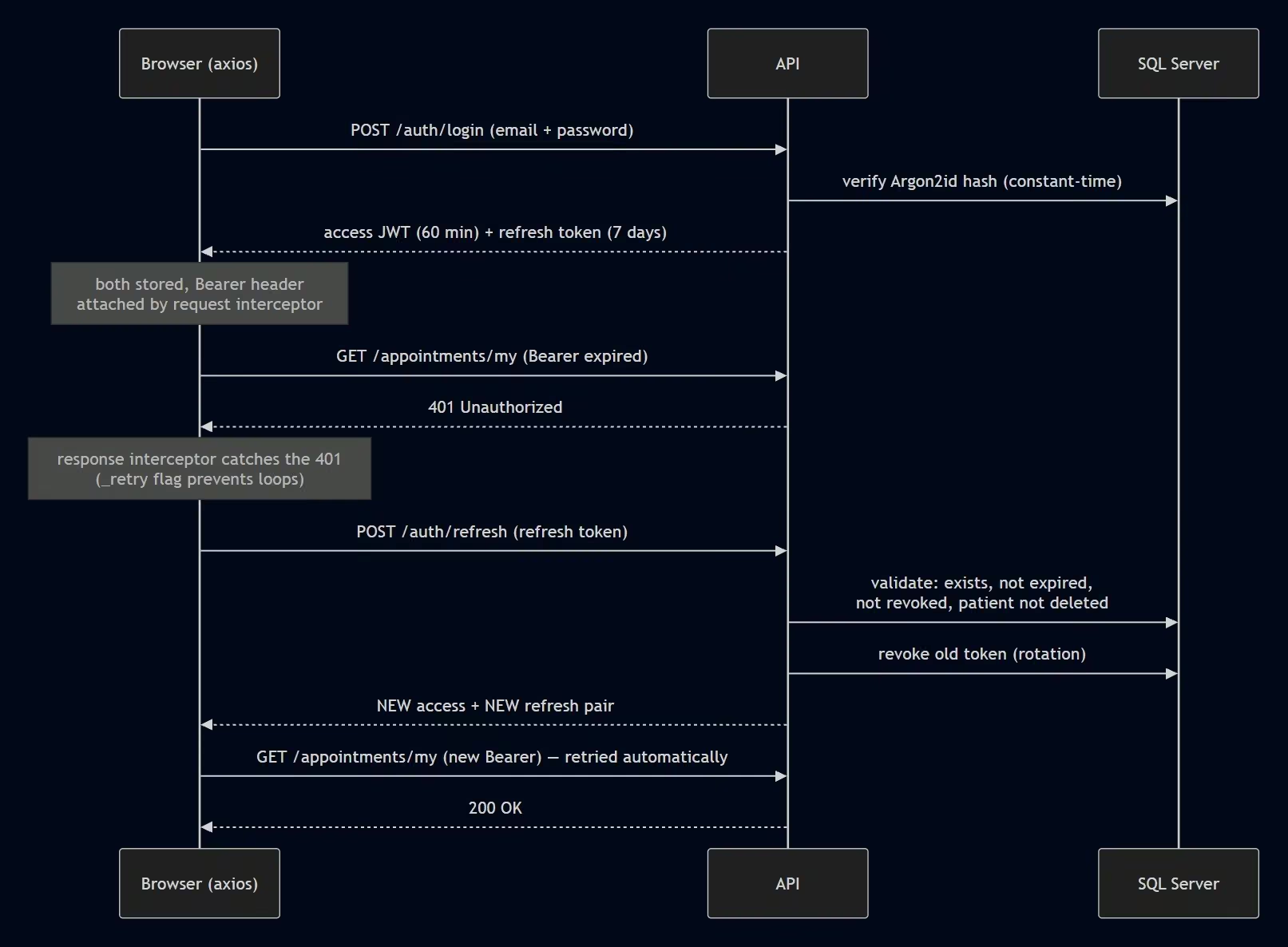
The API issues short-lived JWT access tokens with refresh token rotation behind them, so a stolen access token stops being useful quickly and a refresh token can only be spent once.
Self-hosted architecture & deploys
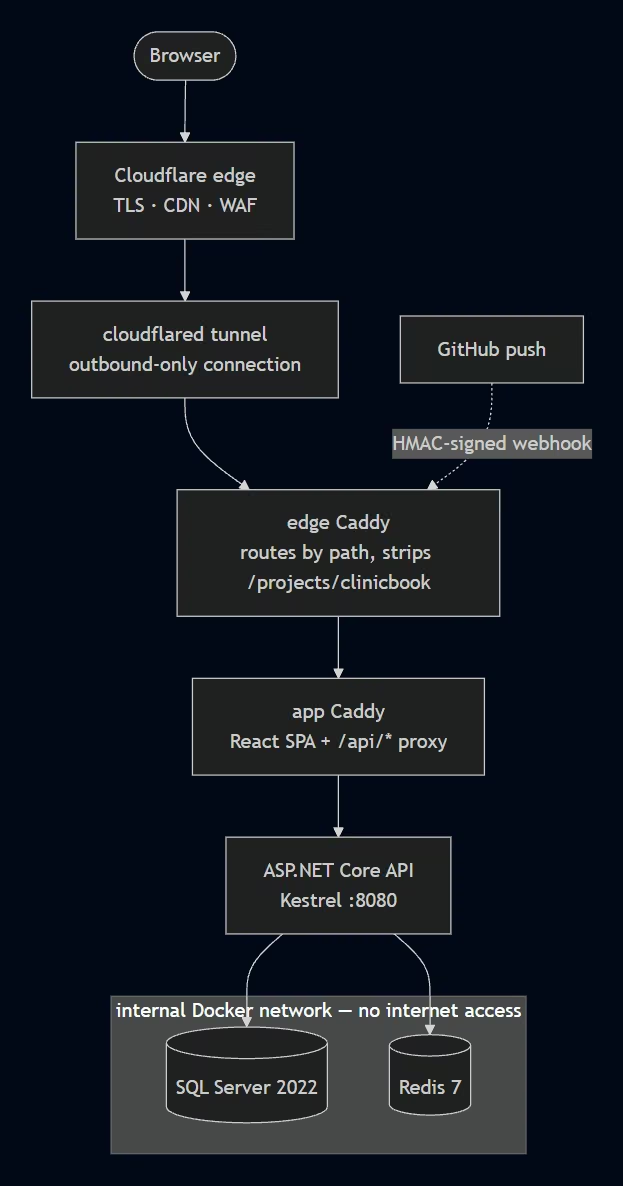
The live demo runs on my own Ubuntu server with no inbound ports open. A Cloudflare Tunnel makes an outbound-only connection to Cloudflare's edge, so the router forwards nothing and the home IP never ends up in DNS. Behind the tunnel an edge Caddy routes by URL path across the projects I host and strips the /projects/clinicbook prefix, then hands off to the app's own Caddy, which serves the React build and proxies /api/* to the ASP.NET Core API on Kestrel.
SQL Server 2022 and Redis 7 run as containers on an internal Docker network with no internet access — nothing reaches them except the API. Redis is the distributed cache in front of the read-heavy endpoints: doctor search results are cached for 30 seconds and keyed on the query string, so repeated searches don't hit the database.
Testing and deploying are both automatic. Every push to main runs the integration suite in GitHub Actions — xUnit driving the full HTTP pipeline through WebApplicationFactory against a real SQL Server and a real Redis, so what the tests exercise is the same stack that runs in production, not mocks. Deploys are gated on that run: when CI finishes, GitHub sends an HMAC-signed workflow_run webhook to the server, and it only redeploys if the run succeeded on a push to main — then it pulls and rebuilds the Compose stack at the exact commit that passed. A red build never reaches production, and shipping is still just a push; I never SSH in to release.